Generate PDFs from Make
We have an official app on Make, and Make lists it as Verified. Drop it into a scenario and the data already flowing through it comes out as a PDF at the end.
Where PDFMonkey fits in a scenario
Most of the Make scenarios we see follow the same pattern. Something happens, say a form gets submitted or a deal closes in the CRM, and someone needs a document out of it. That last step is ours. You design the template once in PDFMonkey, Make sends the data every time the scenario runs, and the finished file comes back to the next module.
People mostly use it for invoices and quotes, certificates (one per participant), reports built from data the scenario already collected, and shipping labels or tickets to print. If your template’s output type is Image, you get WebP, PNG or JPG files and the rest of the scenario stays the same.
We wrote the app ourselves and we keep it up to date. Make lists it as Verified, so you’re not counting on a third-party wrapper that could stop being maintained one day.
Setting it up
- Create your template in PDFMonkey, in the visual Builder or in code, and publish it.
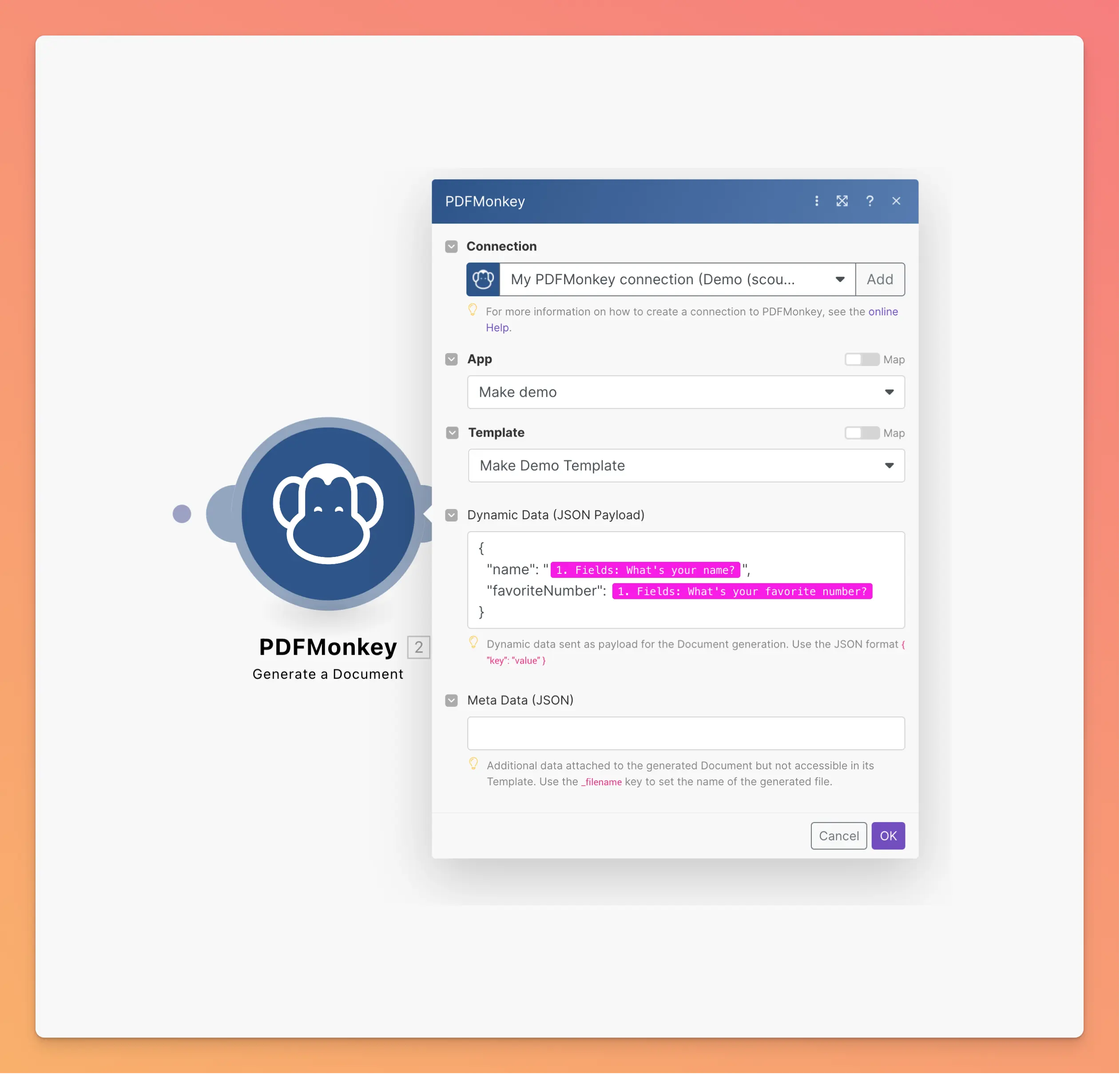
- Add the PDFMonkey module to your scenario and connect it with your API secret key.
- Pick your workspace and template, then map fields from the earlier modules to your template variables.
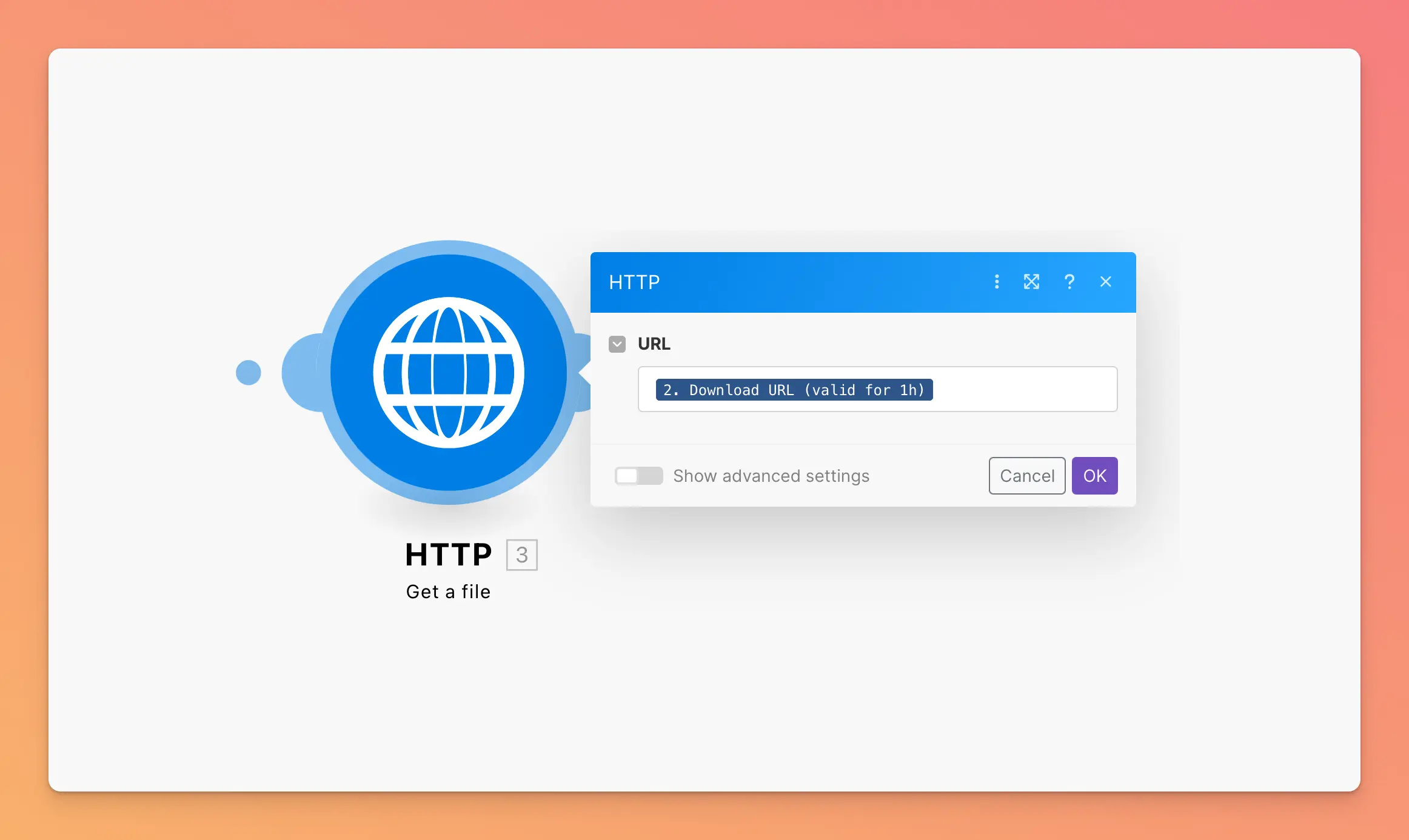
- The module gives you a download URL. Grab the file with the HTTP Get a File module right after, then email it or upload it wherever it needs to live.
Don’t skip step 4: the download URL only lasts an hour. Storing it and coming back the next day won’t work.
What’s in the app
There’s one trigger, Watch Documents, which fires each time a document is generated successfully. On the action side you get Generate a Document, Get a Document and Delete a Document. For anything else in the PDFMonkey API, Make an API Call lets you hit the endpoint directly with your connection already set up.
Our Make guide goes through a full scenario, from a Tally form to a PDF in someone’s inbox. It also covers what usually trips people up: JSON escaping, templates that were never published, and download links that expired.
You can create a free PDFMonkey account and plug it into a scenario you already have. If something doesn’t behave the way you expected, write to us. We read everything.
FAQ
Is the PDFMonkey app on Make official?
Yes. Make lists it as a Verified app, and we’re the ones who build and maintain it. Search for PDFMonkey when you add a module to your scenario.
Is there a free plan?
Yes. The Free plan includes 20 documents per month, forever, with no credit card required. Every new account also starts with a 30-day trial that includes 300 documents. Paid plans start at €5 per month with Starter (300 documents per month).
Do I need to know HTML to design my template?
No. When you create a template, you pick one of two modes: the visual drag-and-drop Builder, or a Code template written in HTML, CSS and Liquid. A template uses one mode or the other, never both. Make sends the same data in both cases.
How long does the download link stay valid?
One hour. Download the file right after the Generate a Document module with the HTTP Get a File module, then email it or upload it somewhere permanent.
Can I generate images instead of PDFs?
Yes. PDF is the default, but a template with the Image output type produces WebP, PNG or JPG files. Your scenario doesn’t change.
Where is my data hosted?
In the European Union. PDFMonkey’s application servers, file storage and rendering engines run in Paris, France, and its database runs in Frankfurt, Germany. A GDPR Data Processing Agreement is available.
Other no-code integrations
PDFMonkey also works with Zapier, n8n, Bubble and Glide. If your data sits in a database or a spreadsheet, we have pages for Airtable and Google Sheets too.
Make PDF easy for yourself.
Start using PDFMonkey for free today.
No credit card required. No strings attached.