
A Giant Leap for PDFMonkey
Hey everyone!
Nine months without a blog post. We know, that’s a long silence. But we weren’t resting. We were barely coming up for air. Here’s what came out of it.
In brief
- A brand new Builder: a visual, drag-and-drop editor that replaces the legacy visual editor. No code needed.
- PDF Forms: generate interactive, fillable PDFs your recipients can complete directly.
- A smoother Preview: updated and optimized.
The New Builder
This one’s been many months in the making (years almost…). And it changes everything!
PDFMonkey started with a Code editor. HTML, CSS, full control. A few years later we added a visual editor to lower the barrier. It helped, but honestly? It was never quite right. A generic editor bolted onto a document platform. It showed…
The new Builder is something else entirely. Built from scratch, specifically for template creation.
You drag and drop components onto the page: text, headings, images, tables, QR codes. You style them visually through dedicated panels. No HTML. No CSS. Point, click, design.
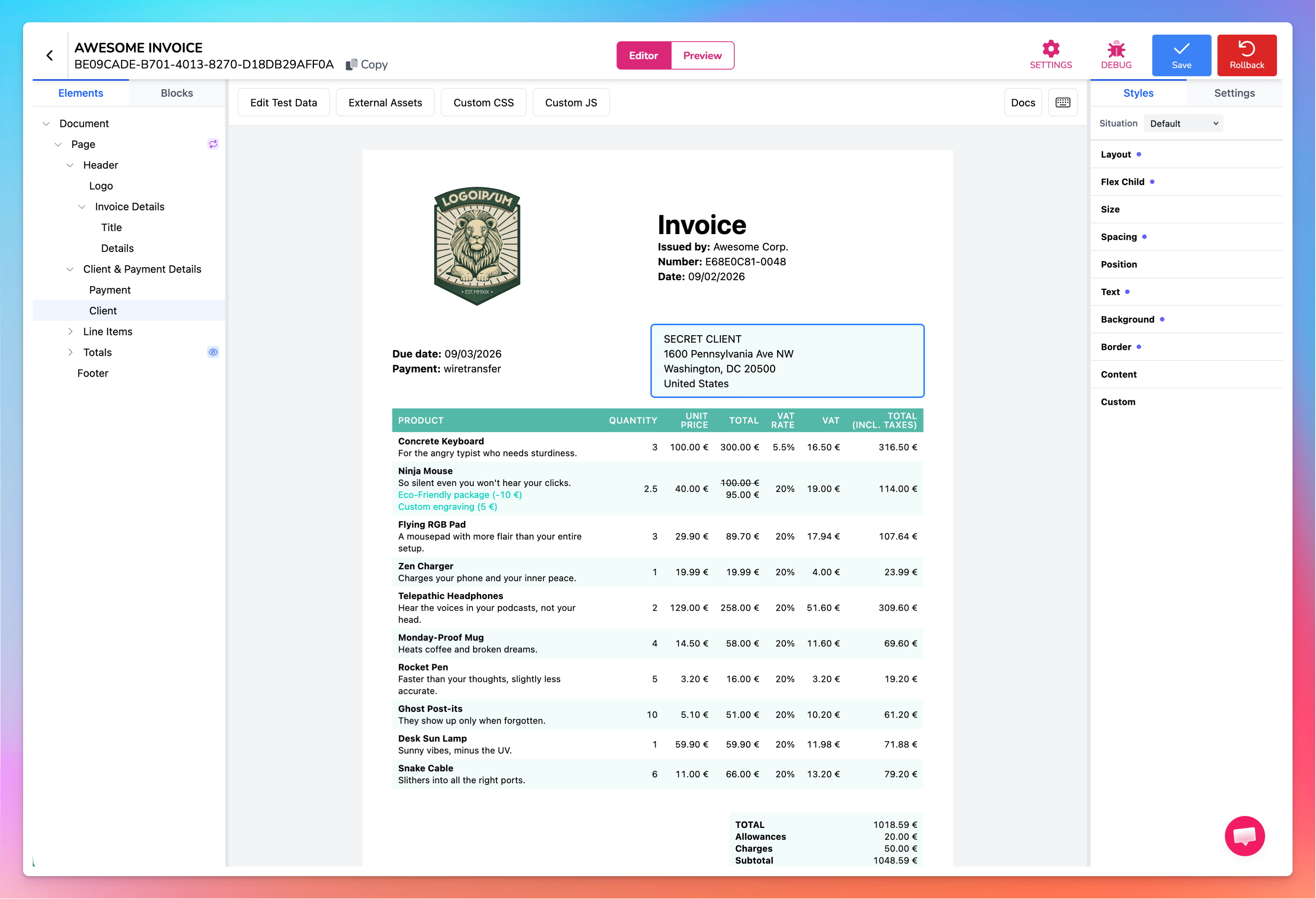
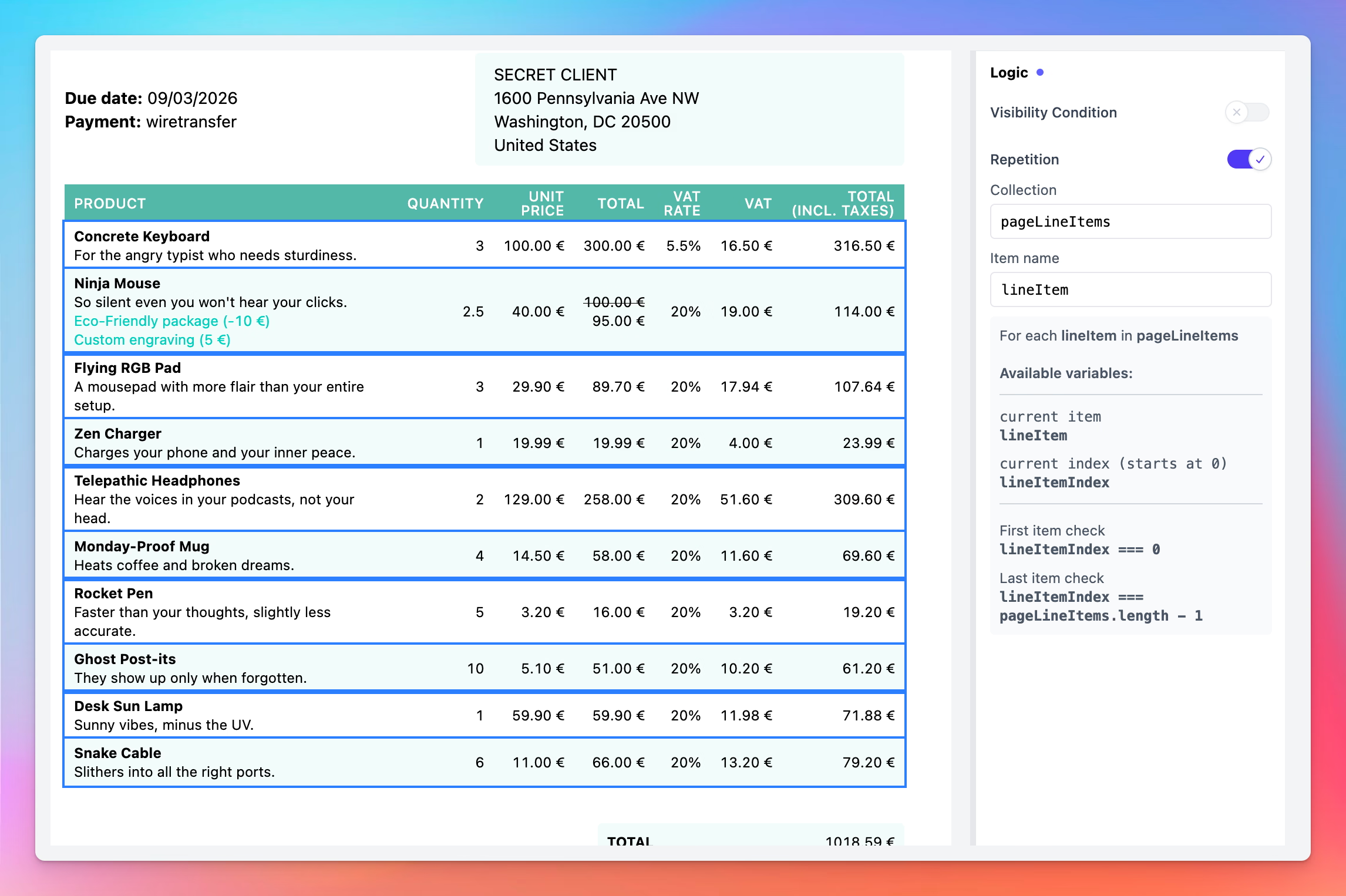
The part we’re proudest of: we didn’t sacrifice power for simplicity. Loops, conditions, variables, all accessible through a visual interface.
Need to repeat a row for each line item in an invoice? There’s a panel for that. Simple as that!
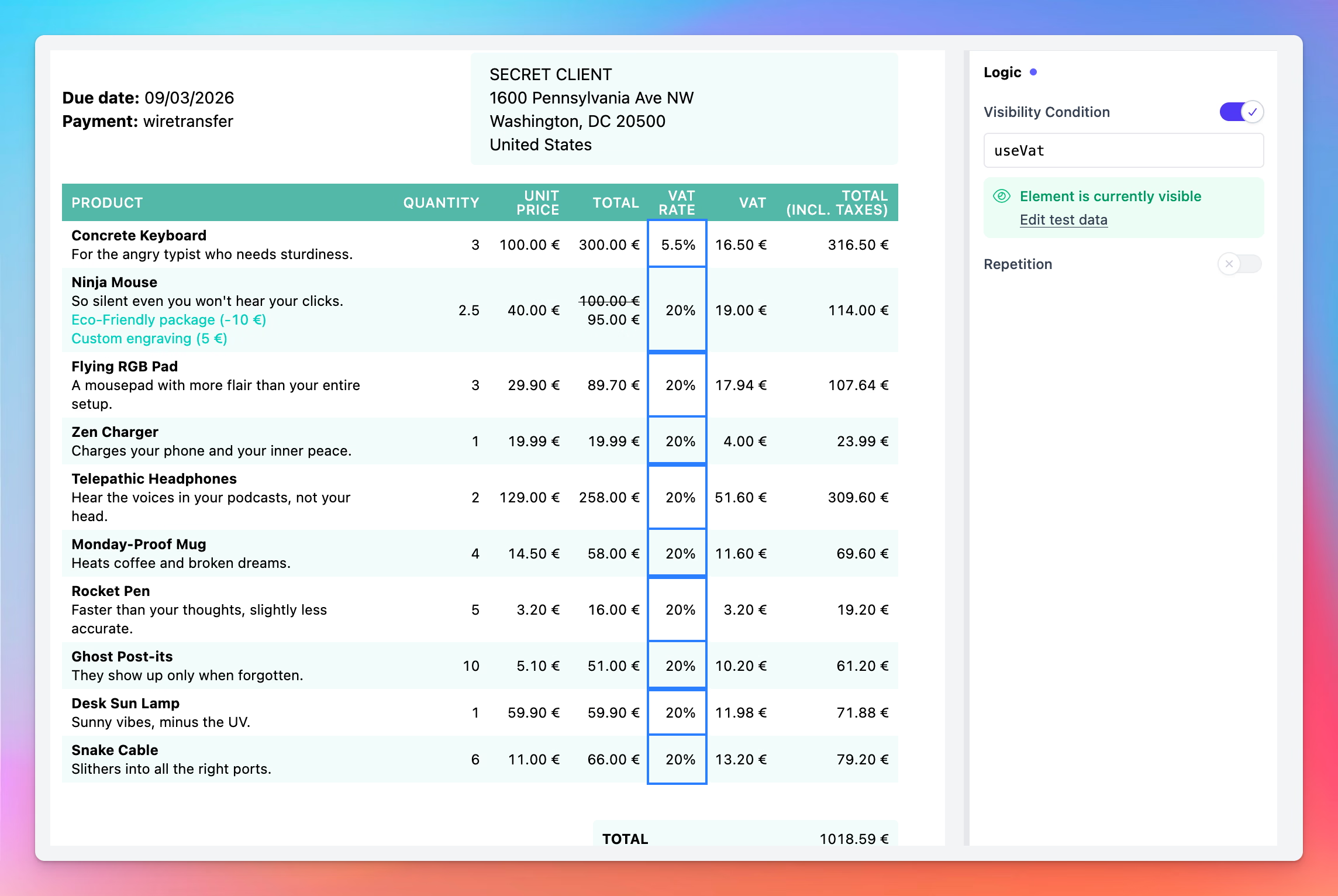
Want to show a section only when a condition is met? Toggle it on, write your expression, and see it update live on the canvas.
Master Templates let you get started instantly. The first one is a full invoice with line items, totals, and dynamic fields. More are coming.
And if you’re a power user? You can inject custom CSS and JavaScript directly in the Builder to push things even further.
This is a turning point. PDFMonkey is now open to marketers, ops teams, product managers. Anyone who needs professional documents without writing code.
One thing: we’re not taking anything away. New templates let you choose between the Builder and the Code editor. Your existing templates created with the legacy visual editor stay fully editable in their original editor. The legacy editor is simply no longer offered for new templates, the Builder replaces it. More options, not fewer.
PDF Forms
You’ve been requesting this one for years. We’re happy to finally deliver!
You can now generate interactive, fillable PDFs. Your recipients fill out fields directly in the PDF, in Adobe Acrobat, Preview, any standard reader. No external tool, no extra step.
- Text fields: single-line, multi-line, email, phone, password
- Checkboxes and radio buttons
- Dropdowns
- Date and number fields with validation
You place markers where you want your fields to appear. That’s it! You can also go further with borderless fields and custom styling for forms that look polished, not like a government document from 2003.
Full syntax in the PDF Forms documentation.
A Smoother Preview
We’ve updated and optimized the Preview Panel. It loads faster, renders your PDFs better, and should feel smoother overall.
What’s Next
2026 is just getting started. So are we.
Thanks for sticking with us through the silence, we hope the result was worth the wait! Don’t hesitate to reach out if you have any questions, we’re here for you.
The PDFMonkey Team 🐒

Simon is passionate about development, tech, design and continuous enhancement. CTO and Co-Founder at PDFMonkey he supervises the development and evolution of the platform making sure the product always respects our core values.